EDR & Threat Hunting Training
Deploy an EDR platform, then use it to hunt attacker behavior across your endpoints.
- 3 days
- Symantec or Elastic
- 6 to 8 participants
- Labs + final case
- Private, on-site or online
About the Course
An EDR records far more than Windows logs. The value comes only when someone knows how to search it.
- Part 1: the platform. Architecture, sizing, installation, integration, console and response actions.
- Part 2: threat hunting. Your team learns to tell suspicious activity from malicious activity: encoded commands, fileless attacks, unusual process trees, run keys and odd outbound connections.
Each part ends with a hands-on lab. The labs run on Symantec EDR or Elastic Security. We pick the platform with you in the proposal.
Who it is for
- SOC analysts
- Threat hunters
- EDR administrators
You should already know Windows processes, services and registry; basic TCP/IP; what an IOC is
New to incident response? Take the Incident Response Training first.
You Will Be Able To
- Size an EDR deployment: bandwidth, storage and retention
- Install, integrate and manage the platform, with roles and AD integration
- Isolate a host and remove malware from the console
- Hunt encoded PowerShell, fileless attacks and abnormal process trees
- Find lateral movement, run-key persistence and exfiltration traffic
- Separate known-bad from known-good to cut noise
One Word macro, one PowerShell line
A user opens a document. A macro starts an encoded PowerShell command. No file is written to disk. The antivirus stays quiet.
In the EDR, your team follows the process tree, decodes the command, and finds the run key that keeps it alive and the outbound connection it opens. Then they isolate the host and clean it.
Course Syllabus
12 modules · 2 parts
Part 1 EDR deployment & administration 6 modules
- Introduction to EDR
Current threats, living-off-the-land attacks, challenges of responding to advanced attacks, EDR objectives, EDR activity recording vs Windows logs, and a PowerShell macro attack example.
- Architecture & sizing
Physical and virtual appliances, site design, bandwidth needs, process and full dump sizes, storage and retention formulas.
- Implementation
Client requirements, appliance installation, bootstrap and setup wizard.
- Integration
Integration workflow, event correlation, and integration with the endpoint protection manager and proxy.
- Management console
Searches, indicators of compromise, incidents, reports, certificates, user accounts and roles, Active Directory integration.
- Response actions
Host isolation and malware deletion, practiced in hands-on lab 1.
Part 2 Threat hunting 6 modules
- Detecting threats
Malicious vs suspicious activity, the attack sequence, indicators of compromise, known bads and known goods.
- Suspicious behavior
Command-line regex, unusual logins and lateral movement, antivirus bypass (AMSI).
- Suspicious processes
Encoded commands, fileless attacks, discovery techniques, unusual locations, process trees, hiding behind a service.
- Network connections
Outbound and inbound connections, exfiltration detection, lateral movement.
- Registry
Run keys used for persistence.
- Web, Java & phishing
Web attacks, Java malware and phishing detection, practiced in hands-on lab 2.
Want this syllabus adapted for your team?
Request a proposalWhat Participants Take Home
- Course slides
- Lab guides for every module
- The hunting queries written during the labs
- A certificate of completion for each participant
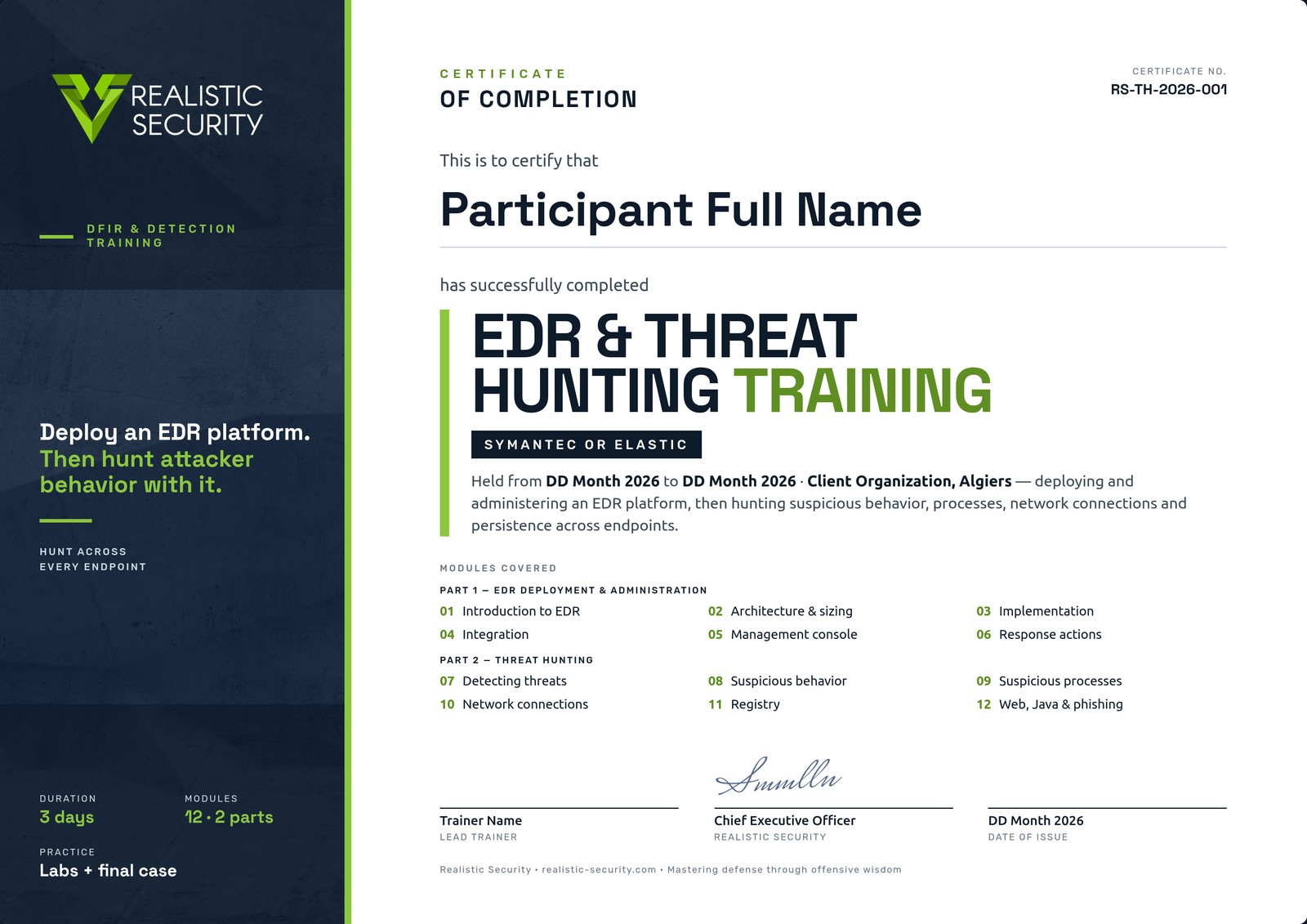
Certificate of Completion
Each participant who completes the EDR and hunting labs and the final case receives a named, numbered certificate that lists the modules covered, signed by the lead trainer and our CEO.
Before the Course
What each participant needs on day one.
- RAM
- 8 GB min, 12 GB recommended
- Disk
- 50 GB free
- Network
- Internet access
Other Courses
Incident Response Training Attack & Detect
Run each attack yourself, then detect it, investigate it and respond, from the first alert to lessons learned.
View courseDigital Forensics Training
Acquire the evidence, then prove what happened on a Windows host: what ran, who logged in, and where the files came from.
View courseDetection Engineering Training with Elastic Security
Start from attacker behavior and finish with tested detection rules on Elastic.
View coursePenetration Testing Training
From scoping to domain admin to the client report, mostly in the lab.
View courseTrain Your Team in EDR & Threat Hunting
Tell us your team size, your tools and your dates. We reply with a proposal adapted to your team.