Penetration Testing Training
From scoping to domain admin to the client report, mostly in the lab.
- 4 days
- Intermediate
- 6 to 8 participants
- Labs + final case
- Private, on-site or online
About the Course
Your team works the way a real engagement runs: scope it, map the target, get a foothold, escalate, take the domain, write it up. Most of the class time is lab work.
The skills match OSCP/OSCP+, PNPT and CPTS. The trainers are working penetration testers.
Who it is for
- Security professionals
- Network & system engineers
- Aspiring pentesters
You should already know Linux CLI, Windows admin, TCP/IP, basic scripting, how web apps work
You Will Be Able To
- Scope an engagement and write rules of engagement
- Map an attack surface with OSINT, scanning and enumeration
- Get and stabilize a foothold through services, weak credentials and misconfigurations
- Find and exploit injection, XSS, file upload, LFI and SSRF in web apps
- Escalate from standard user to admin on Linux and Windows
- Move from first access to domain admin in Active Directory
- Pivot through segmented networks with tunnels and port forwarding
- Write a report with risk ratings and fixes, and present it to a client
The final engagement
Your team receives a scope and lab access. Several hosts sit behind a segmented network. They have limited time to get in, move to the domain controller and collect evidence for every step.
Then they write the report and present it to a mock client panel that asks hard questions.
Course Syllabus
10 modules
- Foundations & methodology
Engagement lifecycle, legal considerations, scoping and rules of engagement. The tester's toolkit, note-taking practices and an introduction to the lab environment.
- Reconnaissance & OSINT
Passive information gathering on domains, people and exposed services. Open-source intelligence techniques to profile a target and map its attack surface.
- Scanning, enumeration & vulnerabilities
Host discovery, port scanning and service enumeration. Finding vulnerabilities with scanners and manual checks. Reading and adapting public exploit code.
- Exploitation & initial foothold
Exploiting outdated services, weak credentials and misconfigurations, manually and with common frameworks. Getting and stabilizing shells, and moving files between attacker and target.
- Web application testing
Mapping and testing web applications for the main vulnerability classes: injection, cross-site scripting, authentication and session flaws, file inclusion, file upload and server-side request forgery. Attacking common applications.
- Password attacks & credential abuse
Online and offline password cracking. Harvesting credentials from network traffic. Reusing credentials across systems and accounts.
- Privilege escalation (Linux & Windows)
Enumeration for privilege escalation on both platforms. Common misconfigurations and abuse paths from a standard user to full administrative control.
- Active Directory attacks
AD enumeration, attacks on authentication and delegation, credential theft and lateral movement inside a domain, from initial access to domain administrator.
- Pivoting, tunneling & evasion
Moving through segmented networks with pivoting, port forwarding and tunneling. Basic defense evasion and post-exploitation such as persistence and looting.
- Capstone engagement & reporting
A simulated assessment of a multi-host environment that combines all earlier modules. Writing the technical report and presenting findings to a mock client panel. Guidance on certification paths (OSCP/OSCP+, PNPT, CPTS).
Want this syllabus adapted for your team?
Request a proposalWhat Participants Take Home
- Course slides
- Lab guides for every module
- The report written in the final engagement
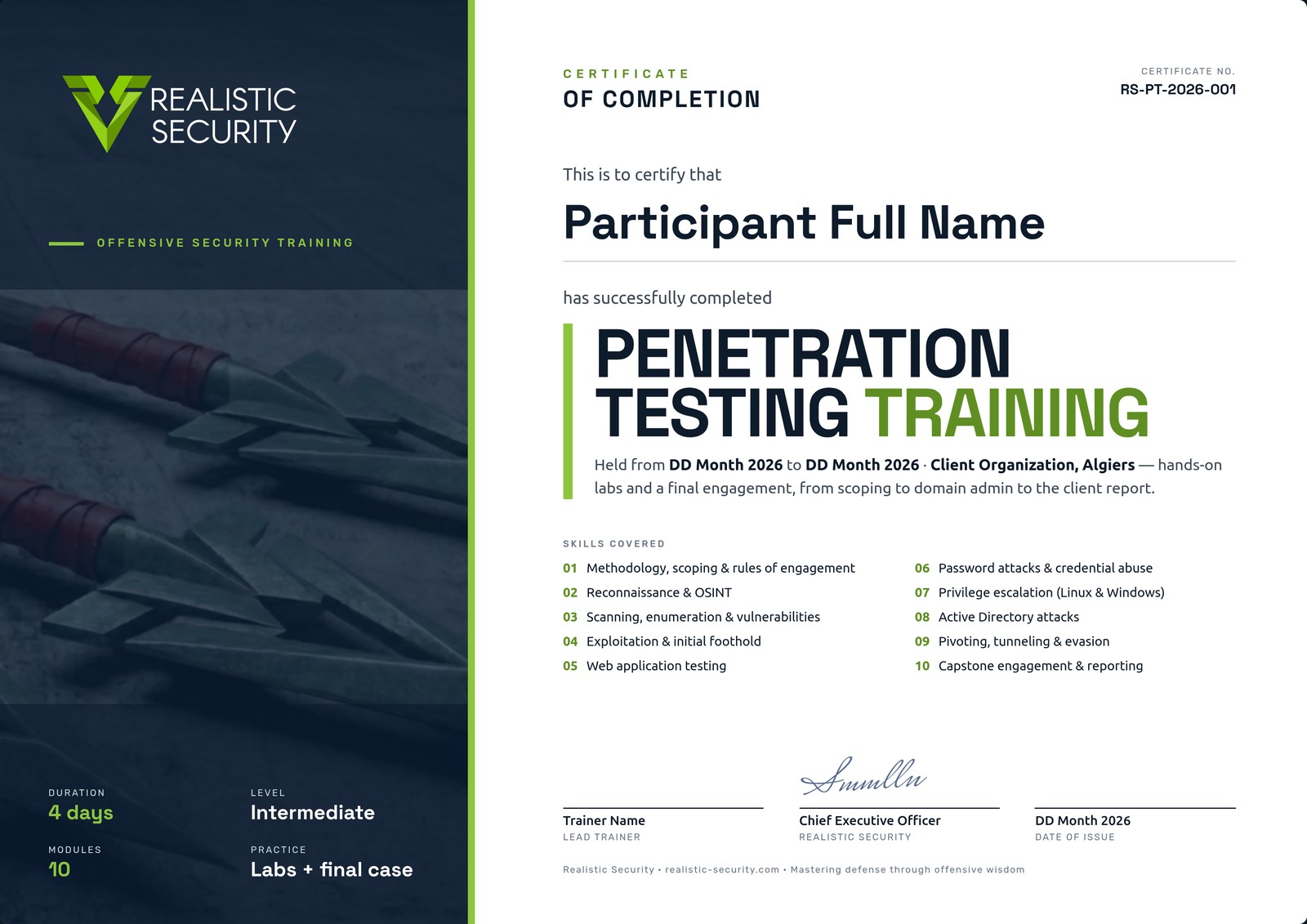
- A certificate of completion for each participant
Certificate of Completion
Each participant who completes the labs and the final engagement receives a named, numbered certificate that lists the skills covered, signed by the lead trainer and our CEO.
Before the Course
What each participant needs on day one.
- RAM
- 16 GB min
- Disk
- ~100 GB free
- Laptop
- Hardware virtualization on, admin rights
- Network
- Stable internet, outbound VPN allowed
Other Courses
Incident Response Training Attack & Detect
Run each attack yourself, then detect it, investigate it and respond, from the first alert to lessons learned.
View courseDigital Forensics Training
Acquire the evidence, then prove what happened on a Windows host: what ran, who logged in, and where the files came from.
View courseEDR & Threat Hunting Training
Deploy an EDR platform, then use it to hunt attacker behavior across your endpoints.
View courseDetection Engineering Training with Elastic Security
Start from attacker behavior and finish with tested detection rules on Elastic.
View courseTrain Your Team in Penetration Testing
Tell us your team size, your tools and your dates. We reply with a proposal adapted to your team.